


New article
Recently updated
Enabling policy workflows

Who is this article for?
Administrators responsible for managing policy approvals and workflows.
Administrator or Can Publish permissions are required.
Policy workflows allow you to introduce an approval process for policies before they are published. Once enabled, additional workflow and approval functionality becomes available within the policy module.
This article walks you through the process of enabling these workflows so you can control how policies are reviewed and approved before publication.
1. Enabling policy workflows
To enable policy workflows:
- Sign into your site.
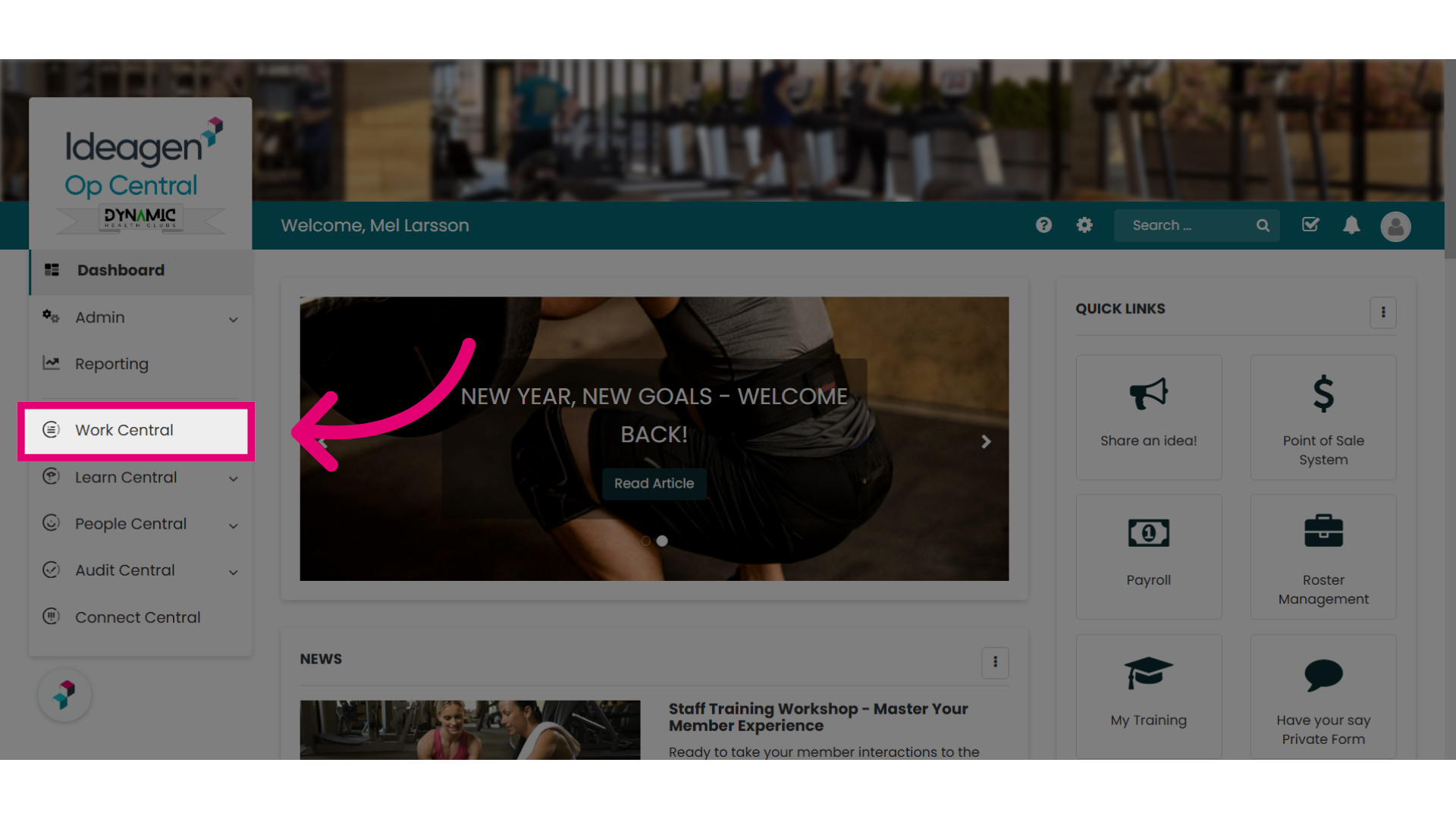
- Select Work Central.
If your site uses a different name, this may appear as Operations Manual.
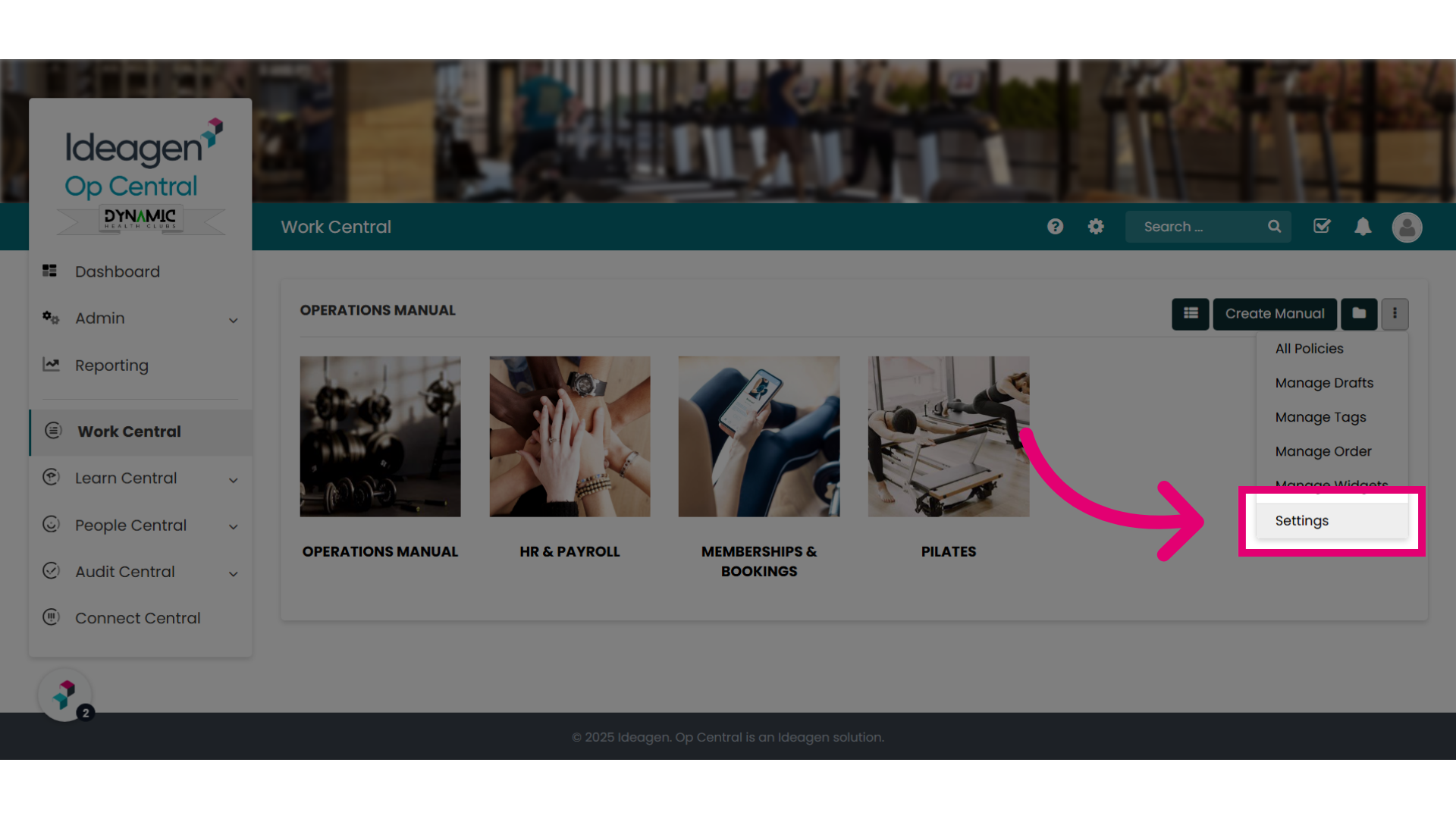
- Open the Actions (Three dots) menu.
- Select Settings.
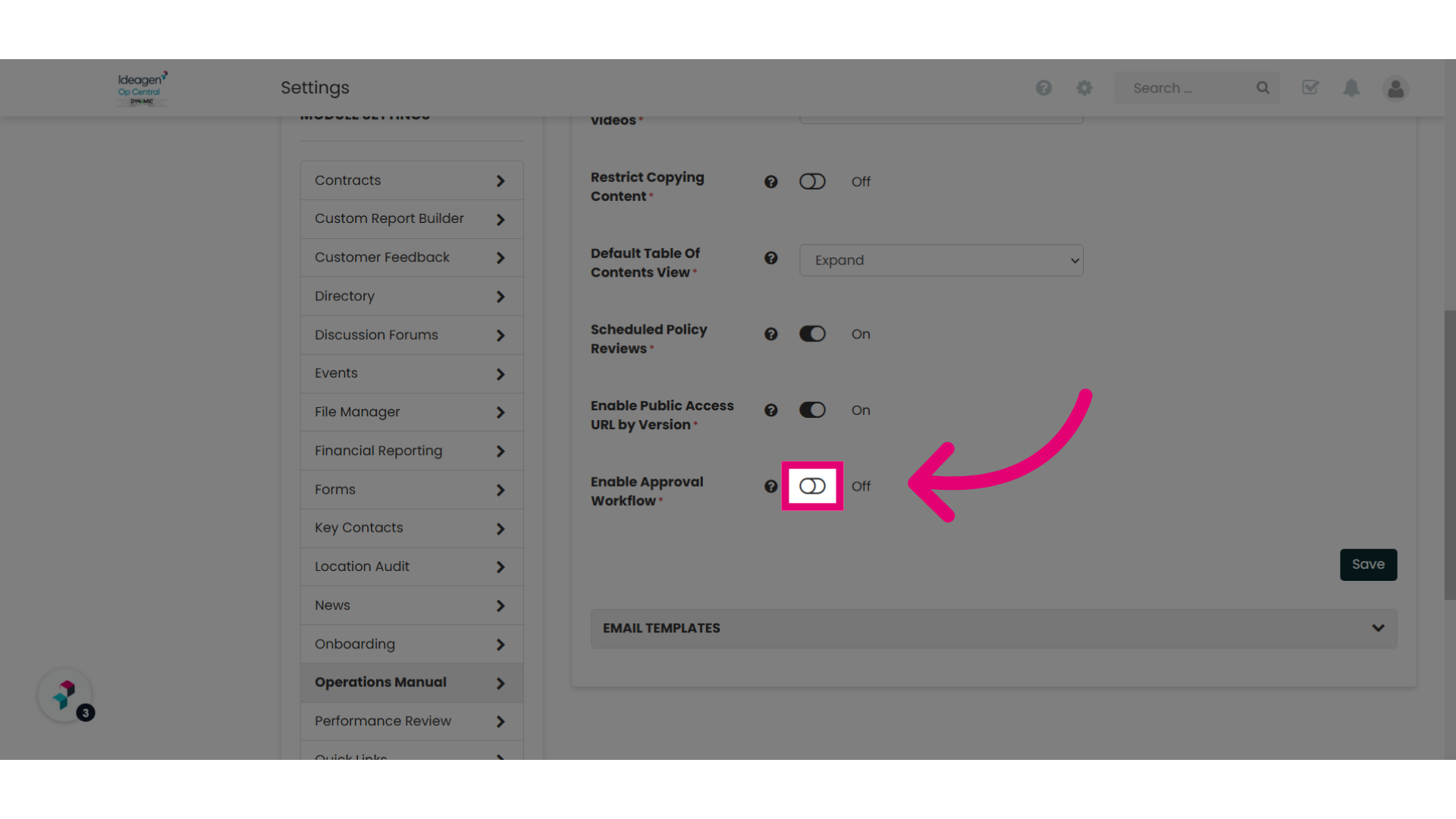
- Toggle the Enable Policy Workflows setting to On.
- Click Save.
The approval workflows will become active on your site and new workflow and approval options become available in the Policy module.
No additional configuration is required to activate the feature.